



Apple Mail
Locate us in your junk folder from the mail toolbar. You should then be able to open the message and use the "Move to folder" button to move us to your inbox. Quick tips from Apple Support.
If you don't see our emails in the junk folder, try creating a safe sender rule. Go to Mail and open your settings (this could also be labeled as preferences). Once there, choose Rules. Click "Add Rule" and name it something like safe sender or whitelist. Now select the following options to mark our newsletters as safe:
If [from] [contains] readtangle.com, set action to [Move message][to mailbox:inbox]
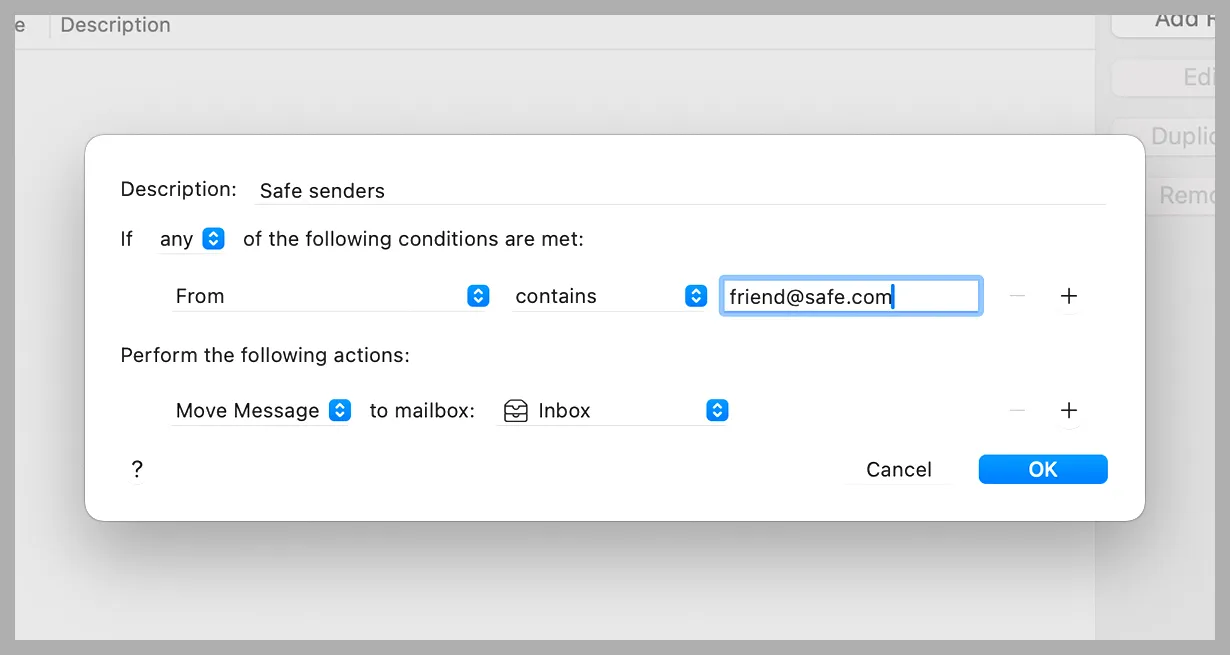
Here's a quick tutorial on how to do this in Apple and iCloud mail.
One other thing about Apple Mail: you may also need to make a quick change so Tangle doesn’t show up in your “Updates” folder.
On iPhone/iPad (iOS 18.2+):
- Go to any Tangle email (even if it’s in Updates).
- Slide to the left, click “more,” categorize sender, choose primary, click continue.

On Mac (macOS Sequoia 15.4+):
Open a Tangle email, hover over our sender name (“Tangle”) and click the little drop-down arrow → Categorize Sender → Primary.

This will ensure we keep showing up in your inbox even as tech companies add AI roundup features that summarize and organize our emails without our input.
Yahoo! Mail
First, check your spam folder to see if we're in there. If you don't see us in the spam, click "More" below the "Sent" folder. If you see us, click Not Spam which will move us to the inbox.
Yahoo Mail's spam filters are particularly aggressive and can sometimes mark our newsletter as spam before it even hits your inbox. To prevent this, mark staff@readtangle.com and ghost.readtangle.com as safe senders. You'll find that option under Settings > Filters. Here's a quick video to help you do that!
Outlook, MSN, and Hotmail
If you're using the New Outlook, go to the gear icon (Settings) and then select Mail.
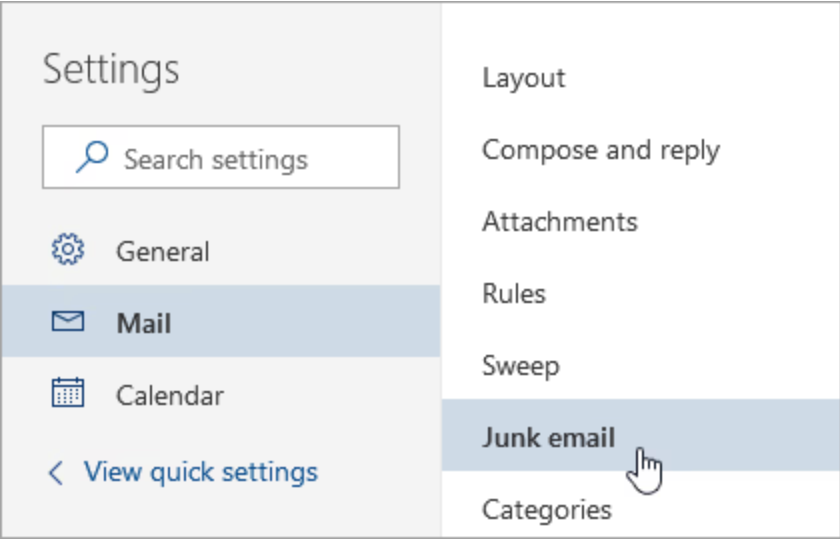
From here, choose Junk mail and then Add safe sender. You'll need to enter both staff@readtangle.com and ghost.readtangle.com to your safe senders list.
You'll find more detailed instructions for adding us as safe senders in Classic Outlook, Outlook on the web, and Outlook.com here.
Here's a short video showing how to add emails to a safe sender list.
AOL Mail
AOL will occasionally send us to spam too. The best way to prevent this is to add us to your contacts in addition to updating your spam settings.
To add us as a contact, go to your Contacts list and add staff@readtangle.com and ghost.readtangle.com to the list.
To adjust your spam settings, go to Settings in the top right corner of your account page. Next, select Mail on the left hand menu.
Now, go to Junk email and scroll down to Safe senders and domains. Add both staff@readtangle.com and ghost.readtangle.com to your specified senders list.
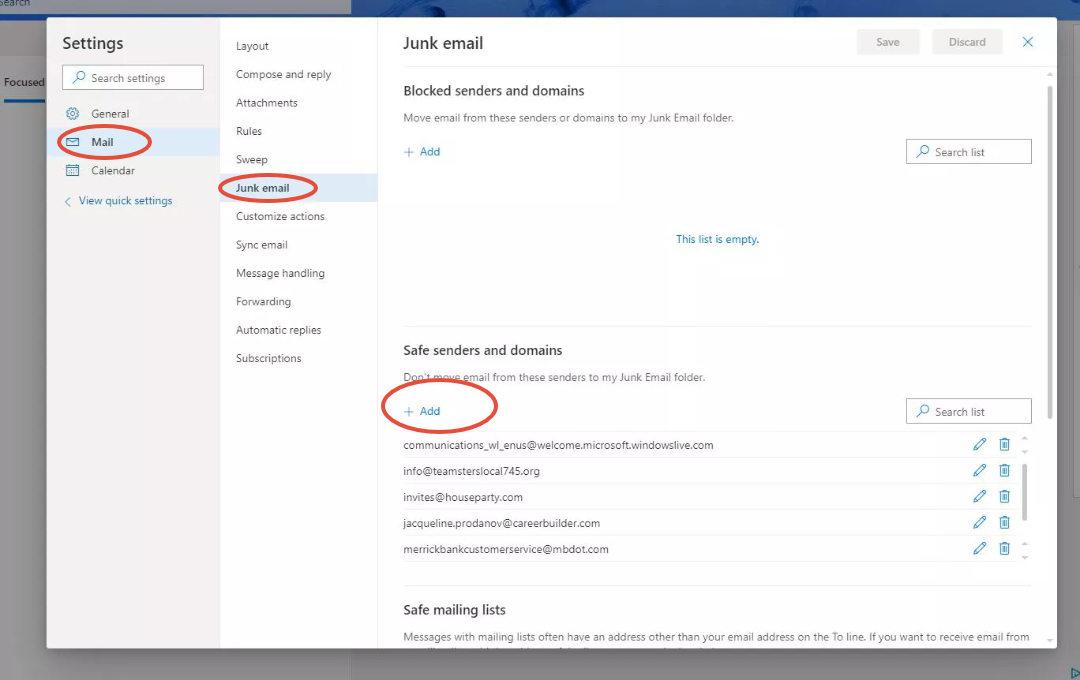
Here's a video to help walk you through the safe sender process.
If you have a different email provider and are having difficulty receiving the newsletter, check this list or reach out to staff@readtangle.com for help.