
If you have a premium Podcast subscription or a bundled subscription, you should be getting ad-free podcasts. If you're not, try one of the following:
Connect through your Tangle account
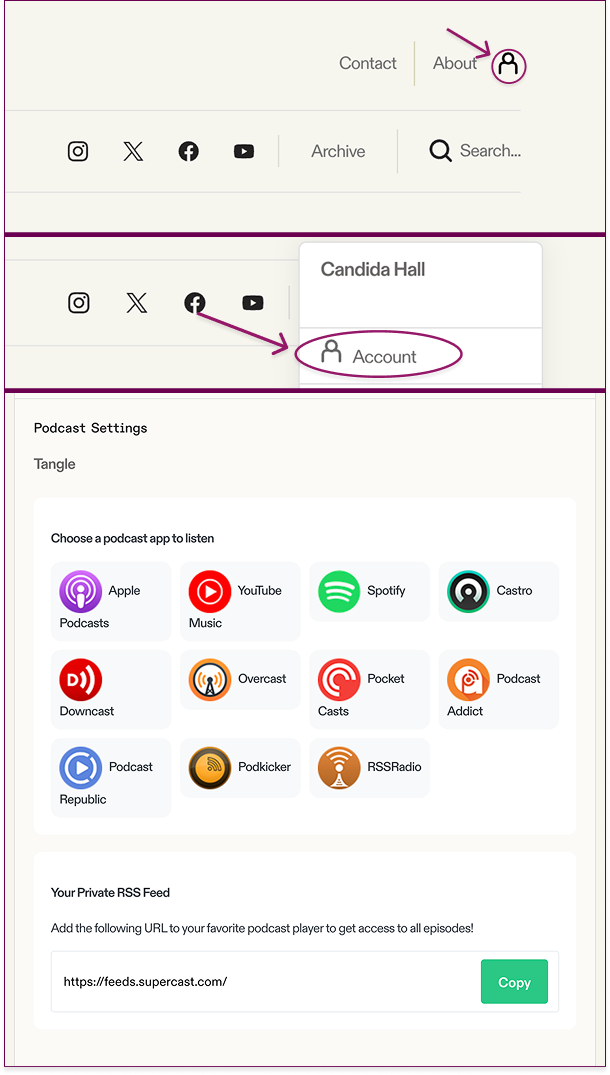
Go to your account and scroll down until you see "Podcast Settings". From there, select the podcast player that you'd like to use.
Connect or listen online through Supercast
If you'd prefer to listen on the web or if you don't have a dedicated podcast player, Supercast is your best bet.
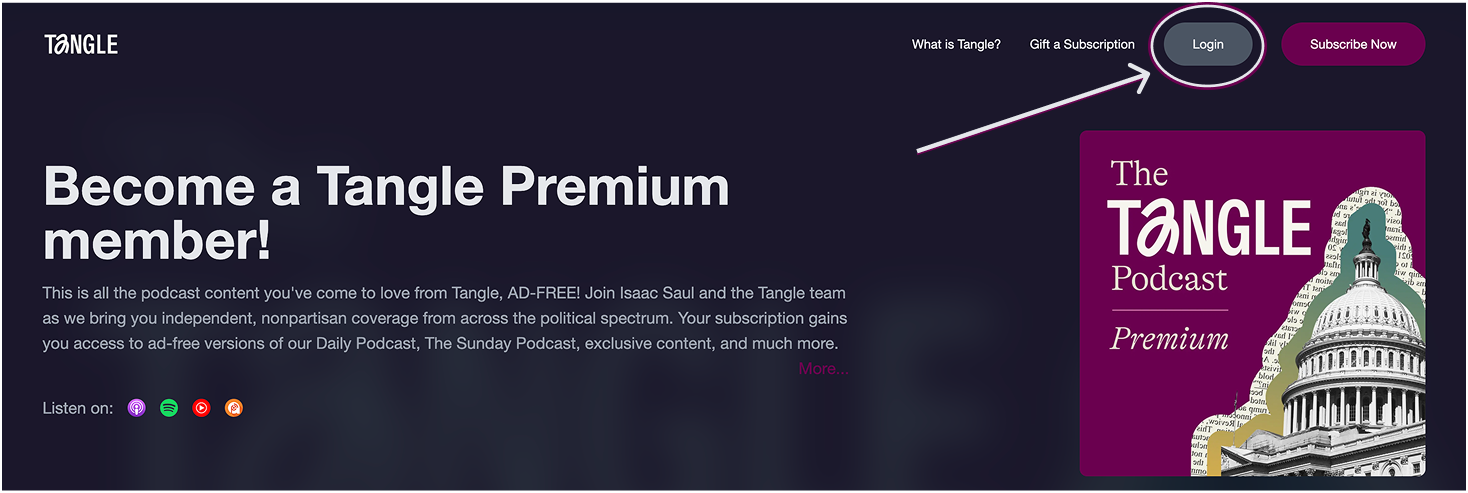
Log into Supercast using your Tangle email address.
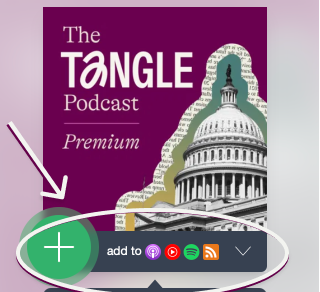
Once you're logged in, you can listen online or you can connect to a player on the left hand side.
Follow Show on Apple Podcast
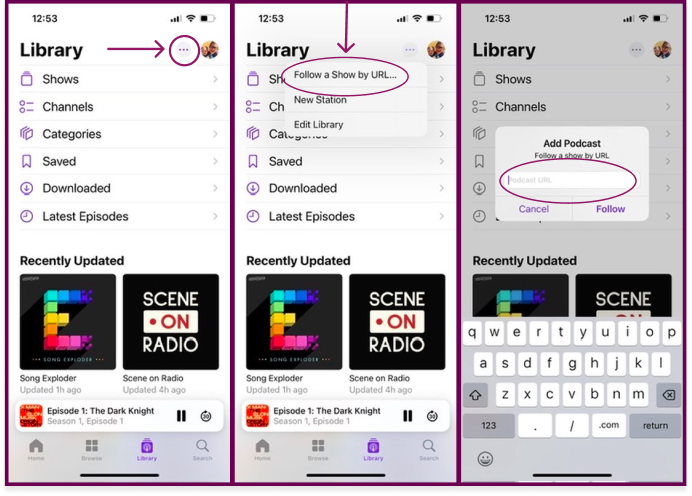
If you’re listening through the Apple podcast player, copy and paste the RSS URL from your account page into the player’s "Follow a Show by url” option found in the Library.
Resolve connectivity issues in Spotify
If you’ve already connected to the premium feed in Spotify but still aren’t able to access the premium podcast, try this:
On all the devices that you're going to play the podcast on, go to play.spotify.com and log out of Spotify by clicking on your profile image in the upper right (see below)
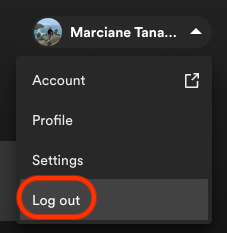
Once you've logged out of your devices, reconnect your feed using the correct Spotify account. To do that:
- Log in here: https://app.supercast.com/dashboard
- Use your Tangle listener email
- Open the Spotify link
Make sure the Spotify account logged in on your devices is the email you used to subscribe to the Tangle podcast.
A couple other notes
Make sure you’re listening to the correct feed
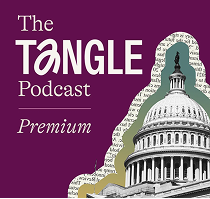
The Premium version is a deep plum color, and looks like this:
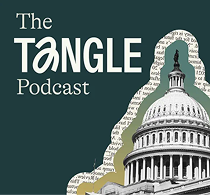
The free version is green and looks like this:
Double check that you have a podcast membership and not a newsletter-only membership.
The podcast is a separate membership than the newsletter only. If your account does not say podcast, bundle, or Thank-You then you may not have access to the premium podcast. You can change your plan to one that includes the ad-free podcast through your account page.
If you need more help, don’t hesitate to reach out to staff@readtangle.com